


Nail Art Design: Paint Nails
4.038.00 Reviews
App Specs
- Version
- 2.4.3
- Updated On
- License
- Free
- Downloads
- 500,000+
- Developer
- JedyApps
- Categories
- Beauty
- Platform
- Android
Screenshots
 Analysis by AppCompare
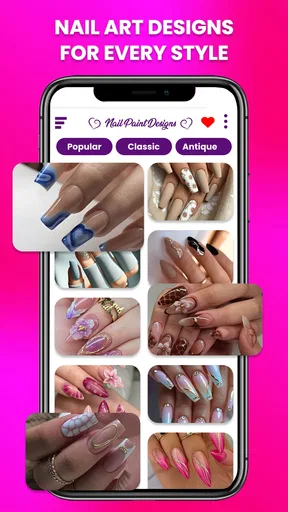
I tend to look for nail inspiration when I have a color in mind but no clear design to go with it. That is where Nail Art Design: Paint Nails can be useful: it gives me a place to explore manicure ideas and play with combinations before I decide what to try. It is a free beauty app from JedyApps, and its focus is visual experimentation rather than replacing the work of a real manicure.
Where a first session can feel less straightforward
With nail-art apps, the first small hurdle is often knowing what to do with an appealing design once you have found it. Browsing can be enjoyable, but inspiration only becomes useful when I can connect it to a look I could actually wear or recreate. I recommend opening the app with a simple goal, such as finding a color pairing for a weekend event, rather than expecting one browsing session to settle every detail of a manicure.
It also helps to separate virtual experimentation from hands-on results. A design on a screen can help me compare colors and patterns, but it cannot tell me exactly how a polish will look under different lighting or how comfortable a particular shape will feel in everyday life. I treat the app as a planning aid, not a guarantee that a real manicure will match the preview perfectly.
Small checks that make browsing more useful
Before settling on an idea, I look at the design as a whole rather than focusing only on its brightest detail. I ask whether the pattern suits the length I usually keep, whether the colors work with clothes I already wear, and whether I could simplify the look if a more elaborate version feels impractical. This quick check prevents me from saving ideas that are attractive on screen but unlikely to leave my inspiration folder.
The app is free to install, though it includes optional in-app purchases priced from $0.99 to $14.99 per item. I would explore the available experience first and decide whether any paid item is worthwhile only after I know how I use the app. It is rated for Everyone, so its general audience is broad, but a younger user should still ask a parent or guardian before making any purchase.
The First Impression
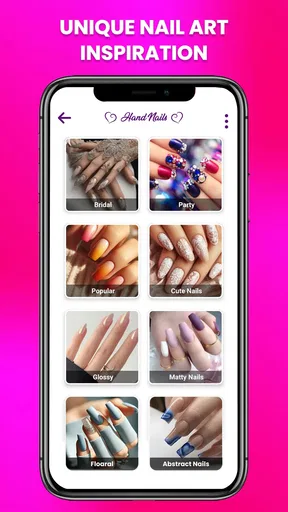
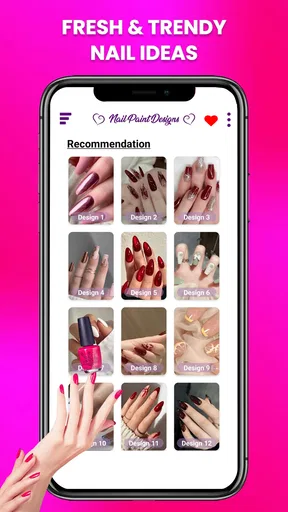
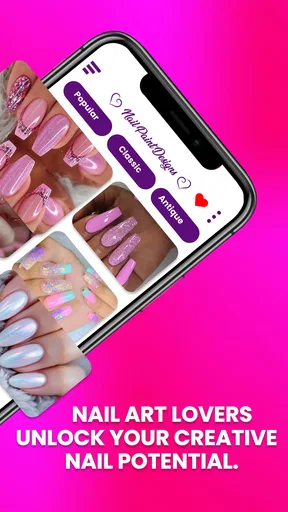
Right from the get-go, opening Nail Art Design: Paint Nails for the first time is like stepping into a colorful world of creativity. The app has a super inviting interface, which makes it super easy to navigate even if you're not the most tech-savvy person out there. All the sections are neatly organized, and the colors are vibrant without being overwhelming.
Features Galore
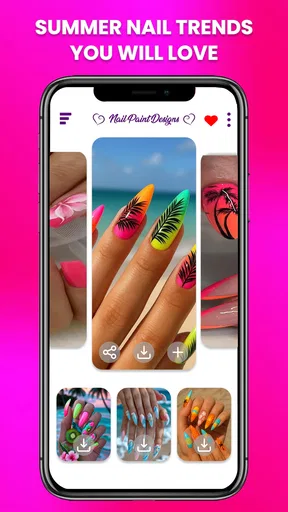
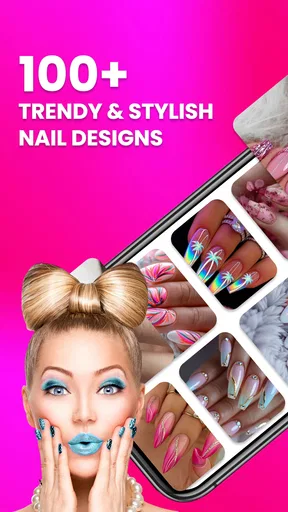
This app is packed with features that cater to both beginners and seasoned nail artists. Whether you're looking to try out a simple design or go all out with intricate patterns, there's something here for everyone.
Worth Reading Before You Choose

EA SPORTS FC Mobile 26 Is a Bigger Football Game, but It Takes Time

Flipboard Shows What News Apps Must Do Beyond the Feed

Switching to Android Auto Means Rethinking Your Driving Routine

Google Calendar Makes a Crowded Week Easier to Manage

Ludo King Makes the Most of the Minutes Between Plans

Baby Panda World Brings Quick Play to Modern Phones, but Its Game Library Feels Busy
- Virtual Nail Studio: The virtual nail studio lets you experiment with various designs and colors without the mess. You can mix and match to your heart's content and save your favorites for future reference.
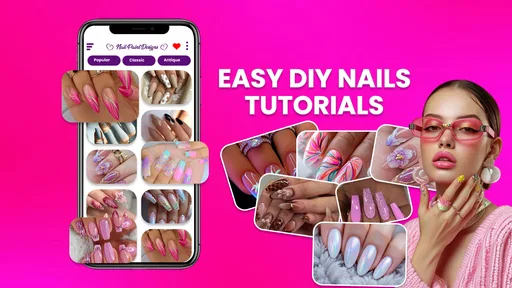
- Tutorials and Guides: For those of us who might need a little hand-holding, the step-by-step tutorials are a lifesaver. They are detailed and easy to follow, perfect for anyone looking to nail their next DIY project.
- Community Inspiration: One of the coolest features is the community section, where users share their creations. It’s a great way to get inspired and even showcase your own nail art prowess.
Turning inspiration into a wearable plan
One practical way I use a design app is to make a short list of possibilities before buying or applying anything. I save a few contrasting ideas, then narrow them down by asking which one suits the occasion, my available time, and the tools I already have. That keeps browsing from turning into an endless stream of pretty pictures and makes the final choice feel more deliberate.
For example, if I have a dinner coming up and only a short window to do my nails, I would use the app to settle on a simple color direction first. I would then choose a pattern that can be reduced to one or two accent nails rather than attempting detailed artwork across every finger. That is a useful trade-off: a small design detail can preserve the spirit of an idea while making it more manageable to do at home.
That workflow is especially helpful for beginners who are still learning how much detail they can comfortably paint. A visual reference can keep the colors and general look consistent, while a simplified version avoids turning a fun project into a test of precision. More experienced nail artists may use the app differently, treating it as a quick sketchbook for trying combinations before adapting them with their own techniques.
Customization and Creativity
Customization is the name of the game with this app. You can choose from a wide range of nail shapes, lengths, colors, and patterns. The color palette is extensive, and the app even allows you to create custom shades. I spent a good chunk of time just playing around with different combinations, and I must say, it was hard to stop!
A more focused way to compare options
When I am deciding between several looks, I find it more useful to change one element at a time. I might keep the pattern fixed while testing different colors, then return to the original color and compare a simpler pattern. This makes it easier to understand what I actually like instead of changing everything at once and forgetting which combination worked best.
There is a small but meaningful trade-off in this kind of customization: a screen is excellent for exploring possibilities, but it can make every option feel equally easy to achieve. Before committing to a complicated look, I would check whether I have the patience and materials to recreate it. If I do not, I can still use the concept as inspiration and choose a more realistic version.
Ease of Use
What I really appreciate about Nail Art Design: Paint Nails is how user-friendly it is. The controls are intuitive, and the app runs smoothly without any annoying glitches. Whether you're on an Android or iOS device, the experience is seamless. Plus, the app is regularly updated, which keeps things fresh and exciting.
When the app seems to get in the way
If something feels confusing during a session, I would first return to the basic task I was trying to complete: choose a design, test a combination, or keep a reference for later. Closing out of a long browsing detour and starting again with that one goal can make the experience feel more manageable. I also prefer to make a note of the colors or elements I liked instead of assuming I will remember every detail after moving on.
For technical friction, I would begin with ordinary checks rather than assume the design tools are at fault: confirm the app is up to date, check that the device has a stable connection if a feature needs one, and restart the app if it stops responding. The current version is 2.4.3, and it requires Android 7.0 or later. Those details are useful when deciding whether an older Android device is a suitable fit; they do not mean that every problem on a device is caused by the app.
If an image or idea does not translate neatly into a real manicure, I would also consider the practical side before trying to repeat it. Nail length, polish consistency, lighting, and personal technique can all affect the final result. In that situation, simplifying the design or using a local reference image while working may be more helpful than repeatedly adjusting a virtual look.
How it fits beside other nail inspiration
The usual alternatives are broad social feeds, image boards, tutorial videos, and advice from a nail technician. Each serves a different purpose. A feed can expose me to a huge range of current looks, but it can take time to find a design that fits my own preferences. A video is often better when I need to watch a particular technique, while a professional can give advice suited to my nails and the products available to me.
This app is most appealing when I want a more focused, hands-on way to explore nail looks without immediately reaching for polish. It is less suitable if my main need is a carefully filmed technique lesson, professional feedback, or a reliable prediction of how a specific product will behave. I would use it alongside those resources rather than expect one app to cover inspiration, instruction, and expert consultation equally well.
The Social Aspect
If you're someone who likes to share their creations or get feedback, you'll love the social features. You can easily share your designs on social media platforms or directly with friends. The app also has a built-in community where you can follow other users and see what they're up to.
Who will get the most from it
I think the strongest fit is someone who enjoys experimenting with nail styles, wants a visual reference before doing a manicure, or is looking for a fresh idea without committing to a real-world design straight away. It can also help a beginner describe a look to a friend or nail technician: instead of saying only “something bright,” I can point to a pattern and a color direction that better expresses what I mean.
On the other hand, I would skip it if I wanted a complete substitute for salon advice or a highly structured course in nail technique. It is also not the right choice for someone who dislikes browsing visual options or who expects every screen design to be straightforward to reproduce with their own skill level. The benefit is exploration, and that benefit depends on enjoying the process of comparing ideas.
The app has a 3.8 average from around 1.1 thousand ratings, with about 35 written reviews, and has passed 100 thousand installs. I read those figures as signs that people have tried it, not as a promise that every person will find it equally useful. My own recommendation depends more on whether you want a creative planning tool than on popularity alone.
Some Final Thoughts
All in all, I found Nail Art Design: Paint Nails to be a delightful app that brings out the inner artist in you. It's a perfect blend of fun, functionality, and community engagement. Whether you're looking to try something new or just need a little inspiration, this app has got you covered.
So, if you're in the mood to spice up your nail game, why not give it a whirl? You might just find yourself hooked on all the amazing possibilities!
My practical verdict
I would try it when I want a low-pressure place to collect ideas, compare possible colors, and shape a manicure plan before doing the hands-on work. The best results come from treating the designs as starting points and making honest adjustments for time, skill, nail length, and the products I have available. That approach makes the app useful even when I do not copy a look exactly.
JedyApps’ beauty app is free to start, with optional purchases if I decide I want to spend more. Its accessible audience rating and focus on creative nail planning make it easy to consider, but the real question is whether browsing and customization fit how I like to prepare for a manicure. If I want inspiration and room to experiment, I would give it a try; if I need expert technique instruction or personalized salon guidance, I would choose a more direct resource instead.
Pros
- Extensive nail art design options.
- User-friendly interface for beginners.
- Regular updates with new designs.
- Offline mode for uninterrupted creativity.
- Customizable color palettes.
Cons
- Ads can be intrusive at times.
- Limited free design templates.
- Some features require in-app purchases.
- Occasional app crashes reported.
- No option for social media sharing.
FAQs for Nail Art Design: Paint Nails
What features does Nail Art Design: Paint Nails offer?
Nail Art Design: Paint Nails provides a wide range of features, including a variety of nail colors, patterns, and accessories to choose from. Users can experiment with different nail shapes and lengths, use stickers, gems, and even apply realistic textures. The app also includes tutorials and inspiration galleries to enhance your creativity.
Is Nail Art Design: Paint Nails free to download and use?
The app is free to download on both Android and iOS platforms. However, it may offer in-app purchases for premium features, additional design elements, or ad-free experiences. It's advisable to check the app store for specific pricing details and to understand what features are included in the free version.
Does the app require an internet connection to function?
While Nail Art Design: Paint Nails can be used offline for most of its basic features, an internet connection is required for downloading additional design packs, accessing online tutorials, and sharing your designs on social media. Check your data usage settings to manage connectivity preferences effectively.
Can I share my nail designs with friends?
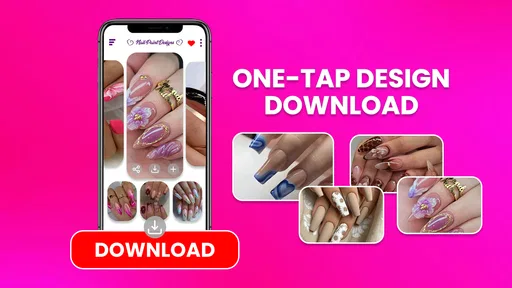
Yes, the app allows you to easily share your nail art creations with friends through various social media platforms and messaging apps. You can also save your designs to your device’s gallery. This feature makes it perfect for showcasing your creativity and getting feedback from your circle.
Is Nail Art Design: Paint Nails suitable for beginners?
Absolutely! The app is designed for users of all skill levels. Beginners will find the user-friendly interface and step-by-step tutorials particularly helpful. The app encourages experimentation and learning, making it a great starting point for anyone interested in nail art design.


